
Discover the 510 thread battery charger: Tips for safe vaping
Posted by Chris on
A good 510 thread battery charger is the unsung hero of your vape setup. It's the key to making sure your battery is safe, holds a charge for as long as possible, and delivers the consistent flavour and vapour you expect. Honestly, getting your charging routine right is the first real step to mastering vape care.
Why Your Charger Is the Key to a Better Vape Session
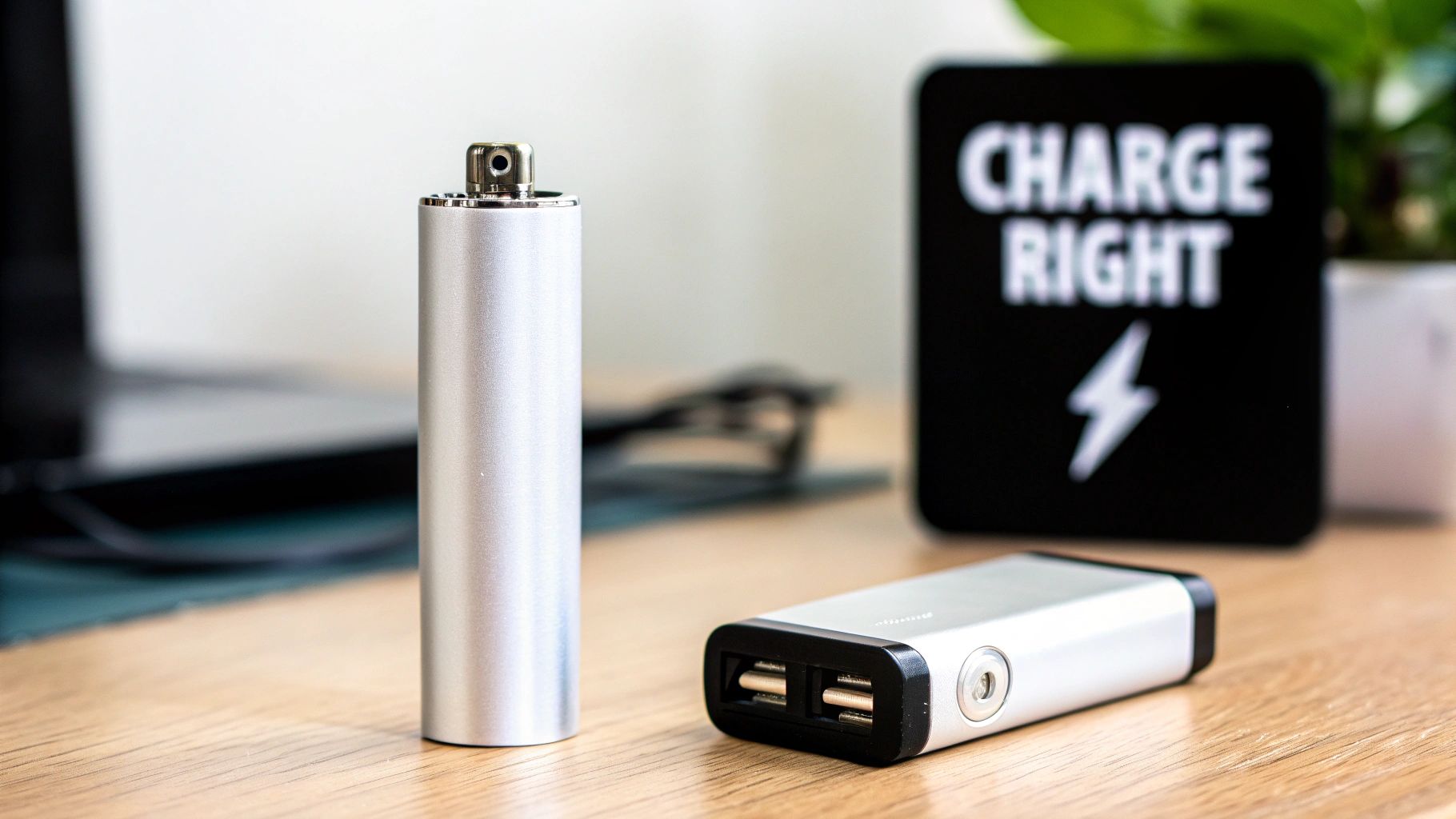
Think of your 510 thread battery like the heart of your vape. If you don't treat it right, the whole system suffers. A shoddy or mismatched charger won’t just kill your battery’s lifespan; it can lead to weak, unsatisfying hits, and in a worst-case scenario, it can even be a safety risk.
This guide is here to walk you through everything, so you can stop guessing. We’ll cover the different chargers out there, from the classic screw-on USB style to the newer, much faster USB-C models now available on our page. Knowing the difference will help you avoid the common pitfalls that can easily wreck a brand-new battery.
The Foundation of a Great Vape
Every great vape session begins with a fully charged, healthy battery. There's a reason the 510 thread became the industry standard—it just works. Its universal design makes it the go-to for vapers everywhere. In fact, its reliability is why over 85% of cannabis vape cartridges in California are built with 510 threading. This lets you swap carts and batteries between different brands, giving you a ton of freedom. If you want to dive deeper, you can learn more about the universal compatibility of 510 vape carts and see why everyone loves them.
But none of that matters if you don't charge it properly. It's not optional; it's essential.
Using the right 510 thread battery charger is your ticket to:
- Top-Notch Performance: A properly charged battery provides a steady, consistent current. This is what heats your oils perfectly, giving you the best possible flavour from your cart.
- A Longer-Lasting Battery: Good charging habits keep the internal battery cells healthy, which means you won't have to replace your battery nearly as often. Who doesn't want to save a bit of cash?
- Peace of Mind: Using a certified charger built for your device dramatically cuts down on risks like overheating or short-circuiting.
Pro Tip: I see this all the time—people grab their powerful smartphone wall adapter to charge their little 510 battery. Please don't do this! Those fast chargers push way too much power and can easily fry your battery's delicate circuitry over time. Stick to a standard USB port on a laptop or a low-power wall adapter.
By taking a second to think about your charging setup, you’re doing more than just juicing up a battery. You’re setting yourself up for a better, safer, and way more enjoyable vape experience every single time.
How to Pick the Best 510 Thread Battery Charger for Your Vape
Choosing the right 510 thread battery charger isn’t just a technical detail—it’s about matching your gear to your life. The charger you pick seriously impacts how you vape, from convenience and speed to the overall health of your battery. That's why we're excited to walk you through our newest lineup, featuring both the trusty screw-on USB chargers and our latest, much faster USB-C models.
So, which one is for you? It really boils down to your habits. If you're always out and about, a simple screw-on charger might be all you need. It’s tiny, foolproof, and easy to toss in a bag. But if you're a heavy user with a powerful battery, waiting around for hours is a real pain. That’s where a modern USB-C charger from our new collection completely changes the game, getting you back in action in a fraction of the time.
The Classic: Simple Screw-On USB Chargers
There's a reason the traditional screw-on USB charger has been the go-to for so long: it just works. It’s incredibly straightforward and compatible with almost every pen-style 510 thread battery out there. You just gently screw your battery onto the charger and plug the USB end into a computer or a low-power wall adapter.
These chargers are perfect if you value:
- Portability: Their small size is unbeatable for travel. Slip one into your pocket, and you're good to go.
- Standard Batteries: They work beautifully for batteries with lower capacities, usually under 500mAh, where lightning-fast charging isn't a top priority.
- Simplicity: No buttons, no settings. Just plug it in and let it do its thing.
The Modern Choice: Our Speedy New USB-C Chargers
As vape batteries get more powerful, their chargers need to keep up. Our new USB-C chargers are built for today's vaper, offering way faster charging times. This is a huge deal for anyone with a bigger battery, like a 650mAh model or something even larger.
Think about it—many modern batteries, especially the ones popular here in Canada, have advanced features like variable voltage or pre-heat modes for thicker oils. While amazing for performance, these functions can drain your battery faster. A new USB-C charger means you spend less time waiting and more time vaping. In places like California, for example, vapers often use batteries ranging from 280 mAh to 660 mAh to find that sweet spot between power and portability, and USB-C is becoming a must-have feature for them.
A little tip from my own experience: If you're using a box-style mod or any battery over 600mAh, a USB-C charger is practically essential. I've seen it cut charging time by more than half compared to the old screw-on style.
To help you decide, here's a quick look at how our two main charger types stack up.
A Look at Our Newest Charger Models
This table breaks down the key differences between our classic and our newly added modern chargers. It's a quick-glance guide to help you figure out which one from our product page fits your needs best.
| Feature | Standard USB Screw-On Charger | Modern USB-C Charger |
|---|---|---|
| Best For | Lower-capacity pen batteries | High-capacity batteries and box mods |
| Charging Speed | Standard (2-3 hours) | Fast (Often under 90 minutes) |
| Portability | Excellent, very compact | Good, cable is universal |
| Ideal Scenario | On-the-go charging, backup charger | Daily home charging, heavy use |
Hopefully, that clears things up! When you're ready to make a choice, you can browse our full collection of 510 thread battery chargers and find the perfect match for your device.
How to Charge Your 510 Battery Safely and Effectively
Alright, so you've found the perfect 510 thread battery charger. Now comes the important part: using it the right way. Charging your battery properly isn’t just about getting it juiced up; it's about making sure your device lasts as long as possible and, most importantly, keeping things safe.
Let's walk through it. Honestly, it's super simple, and once you do it a couple of times, it’ll be second nature. The whole idea is to get a solid charge without putting any extra wear and tear on the battery's sensitive parts.
This little flowchart can help you visualize the process of picking the right charger for your specific needs and daily routine.
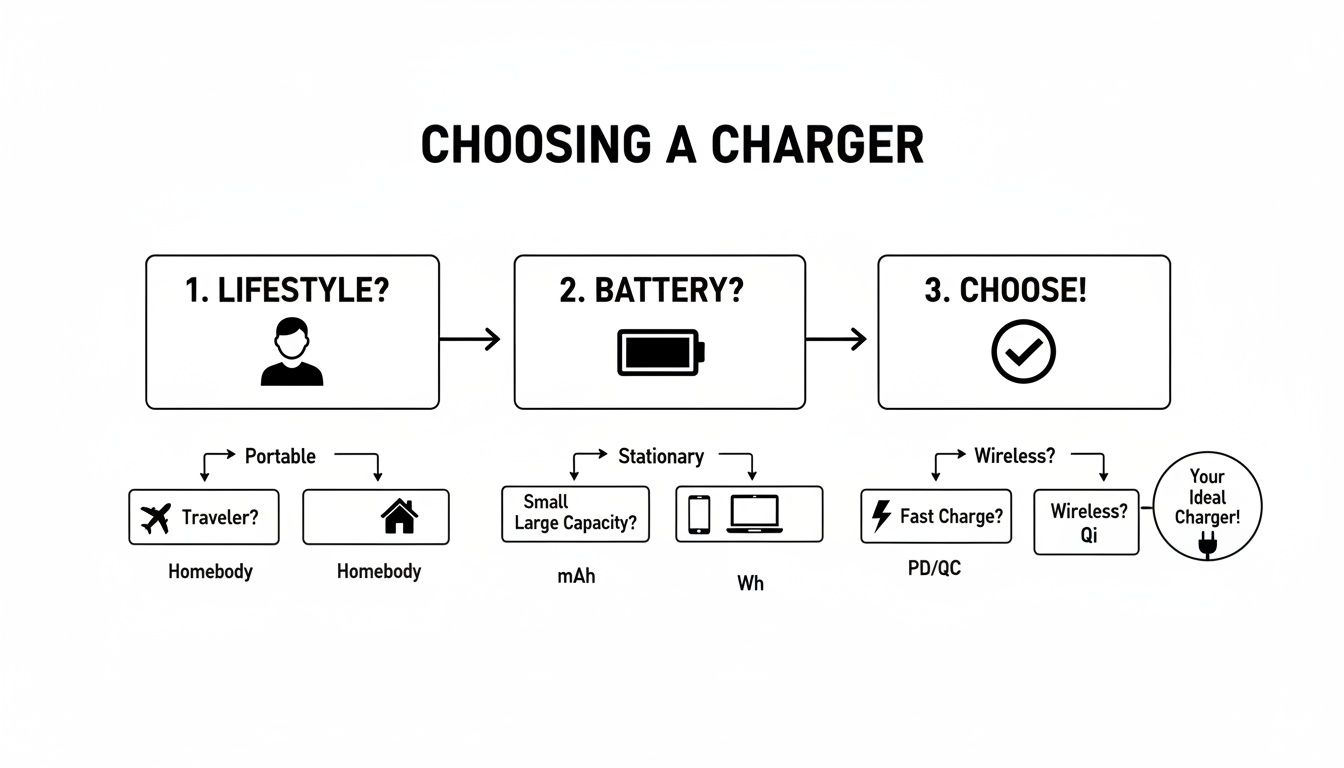
It really just boils down to matching the charger to how you live and what kind of battery you're using. Get that right, and you're set for optimal performance.
The Right Way to Connect Your Charger
Here's a tip that a lot of people miss, especially with the classic screw-on chargers: the order you plug things in actually matters. Always plug the USB charger into its power source first, before you even think about attaching the battery. This simple habit prevents any chance of a short circuit when you make the connection.
Once the charger has power, you can gently screw your 510 battery onto it. Don't go wild and tighten it with all your might. Just turn it until it feels snug and secure. If you overtighten it, you risk damaging the small connection pins on both the battery and the charger over time.
Understanding the Indicator Lights
That little LED light on your charger? It's your best friend. It’s telling you everything you need to know about what's going on. The colours can differ a bit between brands, but they usually follow the same logic:
- Solid red: This almost always means your battery is in the middle of charging.
- Solid green: You're good to go! The battery is fully charged.
- Blinking light: This is often a sign of a poor connection. Just unscrew the battery, give the contacts a quick wipe with a cotton swab to clear any residue, and try screwing it back on gently.
As soon as you see that solid green light, it’s a good idea to unplug your battery. Even though most modern chargers have built-in protection against overcharging, disconnecting it promptly helps take some stress off the battery cell and can extend its life.
Here's a pro-tip from years of experience: Never leave your battery charging unattended, especially not overnight. While malfunctions are rare, they can happen. Staying in the same room while it charges is a simple safety step that gives you complete peace of mind.
Choosing the Safest Power Source
This is probably the single biggest mistake I see people make. They grab the fast-charging wall block that came with their new smartphone and plug their 510 thread battery charger right into it. These high-amperage adapters are designed to pump a ton of power into a big phone battery, and that's way too much for your little vape pen.
Forcing too much power into the battery can cause it to overheat, which slowly kills its ability to hold a charge and drastically shortens its lifespan. In a worst-case scenario, it could damage it for good.
To keep things safe and sound, stick to these power sources:
- Any standard USB port on a laptop or computer.
- A low-amperage wall adapter (check the fine print on the plug and look for one rated at 1A or less).
If you're someone with a few different types of batteries or you just want more control and advanced features, investing in a proper smart charger is a fantastic move. Something like the Efest LCD V4 Uni-Charger gives you precise control over the charging process and packs in safety features, making it a brilliant, versatile tool for any vaper's collection.
Troubleshooting Common 510 Charger Problems
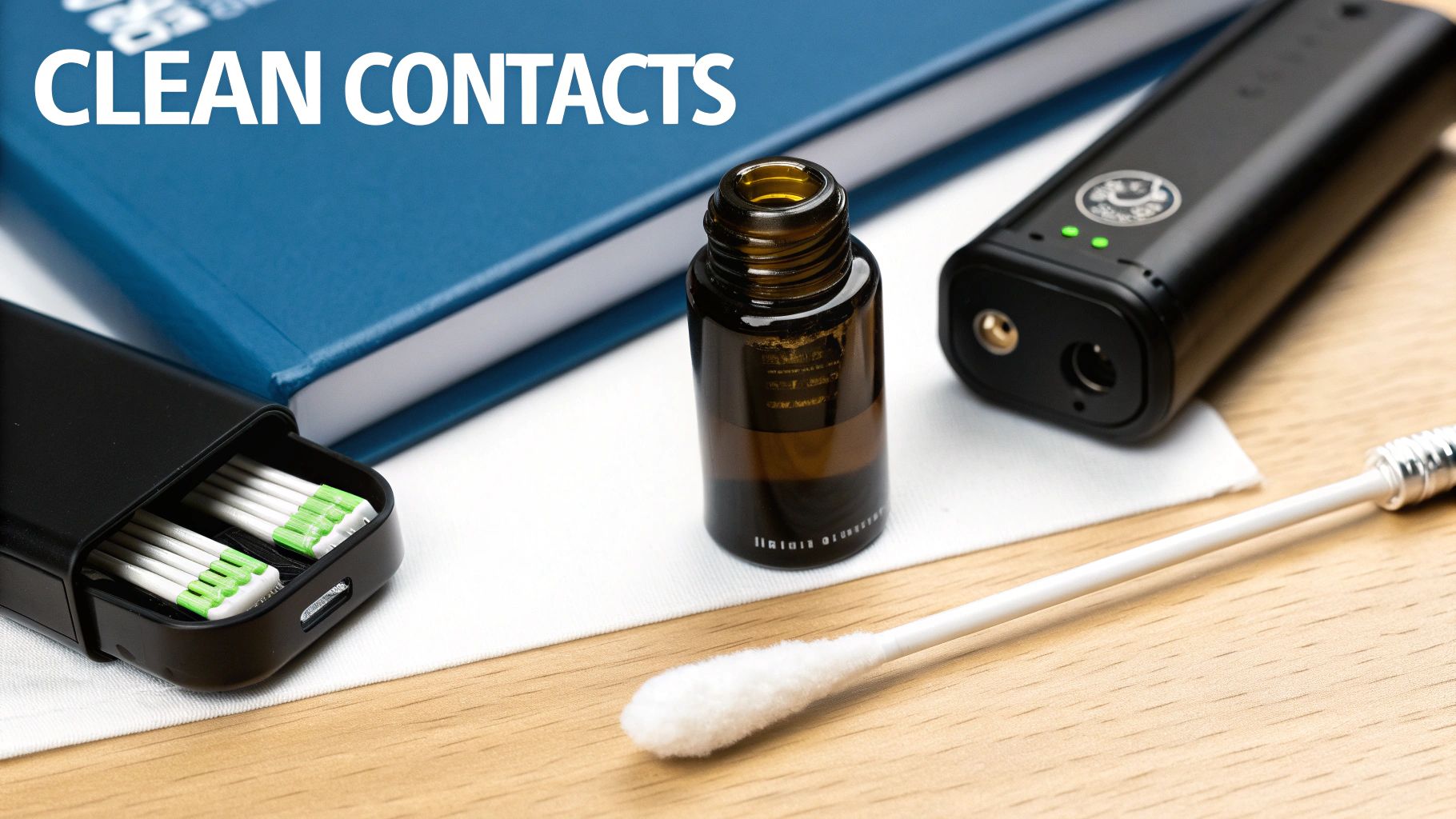
It’s a moment every vaper dreads. You connect your 510-thread battery charger, and... nothing. No light, no sign of life. Before you write off your gear as a lost cause, take a breath. This is a super common hiccup, and the fix is usually surprisingly simple.
Nine times out of ten, the real problem isn't a dead battery or a faulty charger. It's just a bad connection. Over time, a little bit of residue can find its way from a cartridge onto the battery’s contact point. This creates a tiny, invisible barrier that stops the electricity in its tracks.
The Number One Suspect: A Dirty Connection
The first—and most effective—thing to do is give your gear a quick clean. Seriously, this one little step fixes the vast majority of charging issues. It should always be your first move whenever your charger light stays off or your battery refuses to charge.
Here's a quick and easy cleaning routine:
- First, disconnect everything. Unplug the charger from the wall and unscrew your battery from the charger.
- Grab a cotton swab and just a touch of isopropyl alcohol. You don't need to soak it.
- Gently swab the metal contact point on the top of your 510 battery.
- Using a fresh swab, do the same for the contact pin and threads inside the charger.
- Let it all air dry completely. Give it a minute or two for the alcohol to fully evaporate before you reconnect anything.
This simple maintenance clears out any gunk or oil that’s blocking the flow of electricity. More often than not, this is all it takes to get things working again.
Pinpointing the Real Problem
If a good cleaning doesn't solve it, it's time to play detective. We need to figure out which part of the equation is failing: the battery, the charger, or the power source itself. A quick process of elimination saves you from any guesswork.
Start with the easiest variable: the power source. Plug your 510-thread battery charger into a different USB port or use another wall adapter. Sometimes a single USB port on a laptop just gives up the ghost. If that doesn't work, the issue is almost certainly either the charger or the battery. The simplest test is to try a different, known-to-be-working charger if you happen to have one handy.
Pro Tip: When you screw your battery onto the charger, don't overtighten it. Cranking it down with too much force can actually push the connection pin on the battery down, creating a gap. A snug fit is all you need.
The tech behind these devices is more relevant than ever. In massive markets like California, even though traditional 510 cartridge sales saw a 19% dip in Q3 2023, the underlying battery technology is booming thanks to the surge in all-in-one disposables. You can discover more about these U.S. vape market insights to see how the industry is evolving. It just goes to show how valuable it is to keep your reliable 510 gear in tip-top shape. If you’ve run through all these steps and are still stuck, it might finally be time to replace a part.
Essential Maintenance for a Longer Battery Life
So, you’ve mastered charging your device with the right 510 thread battery charger. That’s a great first step, but the care doesn't stop once you unplug it. A little ongoing maintenance can make a massive difference in how long your battery lasts and how well it performs day-to-day.
Think of it like this: you wouldn't just put fuel in your car and never check the oil, right? These small, consistent habits protect the delicate components inside your battery, ensuring you get the most out of your investment. It’s all about building a simple routine that becomes second nature.
Smart Storage Habits Matter
Where you keep your battery when it’s not in use is more important than you might think. Extreme temperatures are the absolute enemy of lithium-ion cells, causing them to degrade way faster than they should. A battery left on a car dashboard on a hot summer day can see its overall lifespan cut dramatically.
To keep your battery happy, just follow these simple storage rules:
- Keep It Cool and Dry: Your best bet is a drawer or a case at room temperature. Steer clear of humid spots like a bathroom.
- Never Leave It in a Hot Car: This is probably the fastest way to kill a battery. The heat inside a parked car can soar, putting immense stress on the internal cells.
- Store It Partially Charged: If you know you won't be using a battery for a while, try to store it with about 50% to 80% of its charge. Storing it completely dead or fully charged for long periods can permanently damage its ability to hold a charge down the line.
The Importance of a Clean Connection
We've already touched on cleaning your connections to fix charging issues, but it's also a vital part of regular upkeep. A clean contact point guarantees a solid, efficient electrical connection between your battery and your cartridge every single time.
When gunk and residue build up, it forces your battery to work harder to heat the coil. This not only drains your power faster but can also lead to weak, inconsistent hits. A quick swab with a bit of isopropyl alcohol every week or so is all it takes to keep that connection pristine.
A Quick but Critical Tip: Always, always remove your cartridge from the battery before you connect it to your 510 thread battery charger. Leaving it attached can cause clogs from heat transfer during charging. In rare cases, it might even cause leaks that could get inside and wreck your battery. It only takes a second to unscrew it.
Avoid Vaping While Charging
Some of the bigger, more complex vape mods have a feature called "pass-through" charging, which lets you use the device while it's plugged in. Your standard 510-thread battery? Not so much. Most just aren't designed for it.
Using your battery while it’s connected to a charger generates a lot of extra heat. This simultaneous charging and discharging puts a heavy strain on the battery cell, which can seriously shorten its lifespan. Unless your device's manual specifically states it supports pass-through, it's always best to just wait until it's fully charged and unplugged.
These maintenance practices aren't just for 510s; they're good habits for most vape batteries. If you're curious about the upkeep for different types, our guide on rechargeable 18650 batteries offers more in-depth information. By adopting these simple habits, you’re ensuring your 510 battery gives you reliable performance for a long, long time.
Got Questions About 510 Chargers? We've Got Answers.
We get asked all the time about the best ways to charge and care for a 510 thread battery charger. It’s totally normal to have questions—after all, you want your gear to last. We've put together some quick, straightforward answers to the questions we hear most often from our customers.
Can I Just Use My Phone Charger for My 510 Battery?
It’s a tempting shortcut, but you'll want to avoid this. Your phone charger is likely a "fast charger," built to pump a lot of power into a big smartphone battery. That high-amperage current is way too much for the small cell inside your 510 vape battery.
Think of it like trying to fill a shot glass with a fire hose. You'll overwhelm it. Using a powerful charger can seriously shorten your battery's lifespan, damage its ability to hold a charge, and in some cases, cause it to fail completely.
Your safest move is to stick with the charger that came with your battery or use a dedicated 510 thread battery charger designed for a low amperage output (we recommend staying under 1A). A great pro-tip is to plug the USB charger into a laptop port or a simple, old-school low-power wall adapter. That's the sweet spot for safe charging.
How Can I Tell When My 510 Battery Is Done Charging?
This one's easy. Almost every 510 charger has a handy little indicator light that tells you exactly what’s happening. The colour-coding is pretty universal.
- When the battery is charging, the light will usually glow red.
- Once it’s reached a full charge, the light will switch over to green.
I always recommend getting into the habit of unplugging your battery shortly after that light turns green. Sure, most modern chargers have overcharge protection built-in, but disconnecting it promptly is the best way to avoid putting any extra stress on the battery cell. For most standard 510 batteries, a full charge will take somewhere between 1 to 2 hours, depending on its mAh capacity.
Help! My Charger Light Is Blinking. What Does That Mean?
A blinking light on your 510 thread battery charger is almost always a sign of a bad connection between the charger and the battery. The good news is that it’s usually an easy fix and rarely means your gear is broken.
First things first, give the connection points a quick clean. Grab a cotton swab with a little bit of isopropyl alcohol and gently wipe the metal contacts on both the battery and the charger. This removes any gunk or residue. Just make sure they're completely dry before you try connecting them again.
If that doesn't do the trick, you might have screwed the battery on a little too tight, which can push the connection pin down. Try loosening it just a tiny bit. If it's still blinking after cleaning and adjusting, it might be a sign that the battery has simply run its course and it's time for a new one.
Here at Wii Vape, we have all the essential accessories to keep you going. Whether you've lost your charger or just need a reliable backup, we’ve got you covered. Come check out our full selection of chargers and batteries today.