
Your Guide on Yocan Kodo Pro How to Use and Master It
Posted by Chris on
Alright, let's get you set up with your new Yocan Kodo Pro. This little device is a huge step up from the old-school pen batteries, and you’ll quickly see why it’s become such a go-to for so many of us here in the GTA.
Using it is dead simple: charge it up with a USB-C cable, screw in your favourite 510-thread cart, and give the power button a quick five clicks to bring it to life. After that, you can use the smaller buttons to dial in your perfect voltage and just press the main button to start your session.
Your First Look at the Yocan Kodo Pro
So you've got your hands on the Yocan Kodo Pro. Great choice! It's a powerhouse in a tiny package, giving you way more control over your experience than the basic batteries most people start with.
The first thing you'll notice right out of the box is just how small and solid it feels. It fits perfectly in your palm, making it super discreet. But the real game-changer is that crisp OLED screen. No more guessing games about your battery level or voltage setting—it’s all right there in plain sight.
Powering Up for Toronto Life
For anyone living a busy city life, the USB-C charging port is a lifesaver. We've all been there, rummaging through drawers for an old micro-USB cable. Thankfully, those days are over. You can power up the Kodo Pro with the same charger you use for your phone or laptop.
A quick pro-tip: before you start using it, give it a full charge right to 100%. This first full charge helps set the battery up for a long, healthy life, so you get the best performance from day one.
The Kodo Pro's design isn't just about looking good; it's built for how we actually live. Its small size and reliable battery make it perfect for zipping around the city, whether you're hopping on the TTC or just hanging out downtown.
Here’s a quick rundown of what makes the Yocan Kodo Pro a local favourite. This table breaks down its core features so you can see at a glance why it's so practical for life in the GTA.
Yocan Kodo Pro Key Features at a Glance
| Feature | Specification | Benefit for GTA Vapers |
|---|---|---|
| OLED Display | Clear, bright screen | Instantly see your voltage, puff count, and battery life. No more guesswork! |
| Variable Voltage | 1.8V - 4.2V | Fine-tune your hits for flavour or clouds, perfect for different concentrates. |
| Battery Capacity | 400 mAh | Enough power to get you through the day without constantly needing a recharge. |
| Charging Port | USB-C | Modern, convenient charging. Use the same cable as your other new devices. |
| Compact Size | Palm-sized and discreet | Slips easily into a pocket or bag, ideal for on-the-go use around the city. |
As you can see, every feature is designed with practical, everyday use in mind, making it a solid choice for both new and experienced vapers.
That 400 mAh battery, combined with efficient USB-C charging, is especially clutch in a place like Toronto, where you're often moving between the cold outdoors and warm indoors. Based on what we see, a battery this size typically gives you 100–150 puffs on a standard cart before needing a top-up. For most people, that’s more than enough to last a full day. You can get another perspective on how these batteries hold up from our friends over at BC Smoke Shop.
And if you're a fan of Yocan's smart, compact designs, you should definitely take a look at our Yocan Uni 3.0 review—it’s another fan favourite for good reason.
Getting to Know Your Kodo Pro’s Controls and Display
Alright, your Yocan Kodo Pro is juiced up and ready for action. Now for the fun part—dialing it in and taking your first puff. The controls are dead simple, built around a single power button and two adjustment buttons. But the real star of the show is that crisp little OLED screen, which gives you all the info you need at a glance.
First things first, let's turn it on. The Kodo Pro has a standard safety lock, so it won’t accidentally fire off in your pocket. Just give the square power button a quick five clicks in a row. You'll see the Yocan logo pop up on the screen, letting you know it's awake. Done with your session? Another five clicks will power it down. Easy peasy.
The Essential Functions
Getting your cartridge attached is a breeze. Simply screw it into the 510-thread connection on top of the device. A gentle twist until it feels snug is all you need—be careful not to crank it down too hard, as overtightening can mess up the connection on both the battery and the cart itself. Once it's in, the screen will flash the cartridge's resistance, confirming it’s made a good connection.
One of my favourite features, especially for dealing with thicker oils during a cold Toronto winter, is the pre-heat function. Give the power button two quick clicks, and the Kodo Pro will gently heat your oil at 1.8V for 10 seconds. This little trick is a lifesaver for preventing clogs and making sure that first draw is smooth and flavourful.
The image here breaks down those first few steps visually.
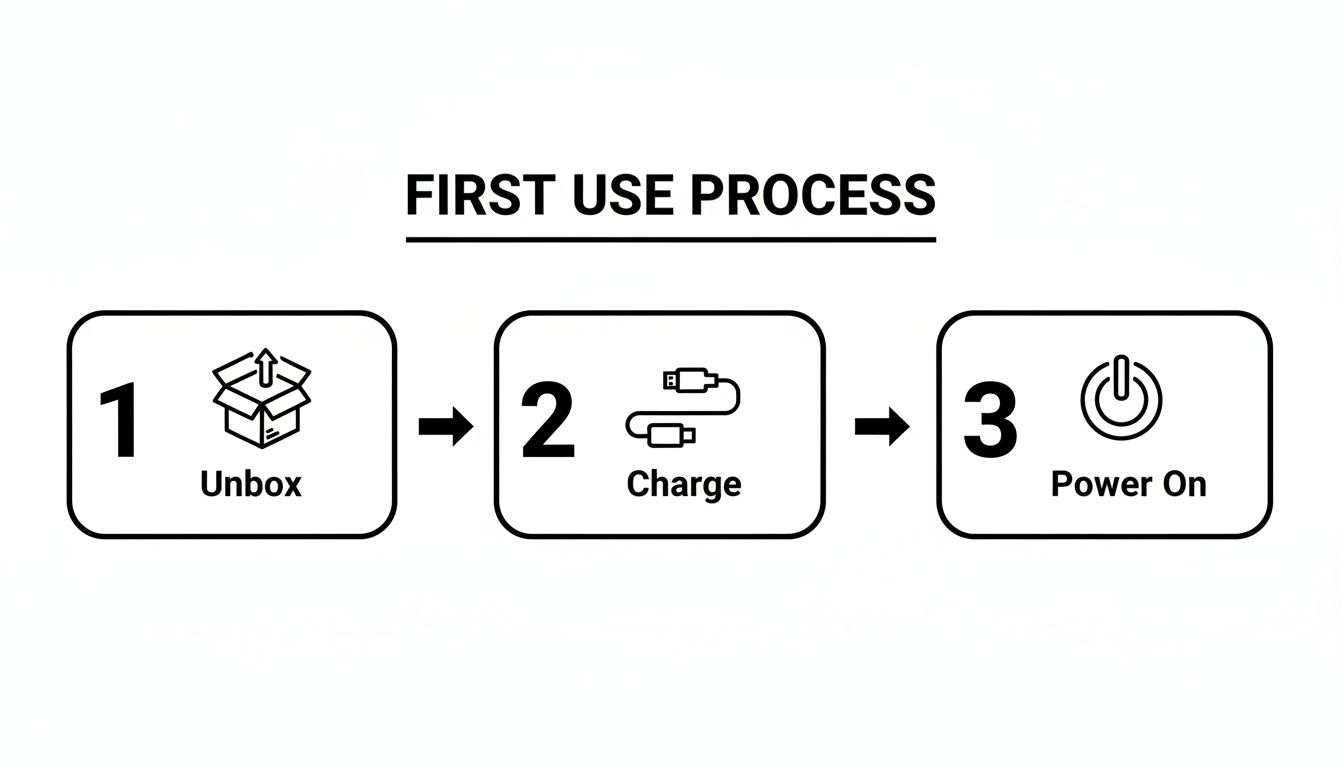
It’s a handy little cheat sheet that shows just how simple it is to get from the box to your first session in no time.
Reading the OLED Screen Like a Pro
The amount of information Yocan packed into this tiny screen is what really sets the Kodo Pro apart. Once you know what you're looking at, you're in total control.
- Battery Meter: You can't miss it in the top-right corner. It shows the exact percentage, so you’ll never be surprised by a dead battery again.
- Voltage Setting: This is the big number in the middle. It shows the power level you’ve set using the '+' and '-' buttons.
- Puff Counter: This handy little tracker counts every puff you take—perfect for keeping an eye on your consumption. Want to start fresh? Just press the power and '-' buttons at the same time to reset it.
- Draw Timer: When you take a hit, this timer pops up and shows you how long your inhale was, right down to the second. It’s a great way to find that perfect draw length and keep your hits consistent.
Honestly, having all this information right in front of you is a game-changer. It takes the guesswork out of the equation and lets you know exactly what your device is doing. This is a huge part of mastering how to use the Yocan Kodo Pro to get the experience you want.
It's no surprise that devices like the Kodo Pro are so popular here in Canada. Since the Tobacco and Vaping Products Act came into effect back in 2018, user-friendly gear has really taken off. In fact, a 2020 report from Health Canada showed that about 48% of adult vapers were using cartridge or pod systems, with many of us relying on 510-thread batteries for provincially regulated cannabis oils. You can dig into Yocan’s journey and their impact on the Canadian scene over on their official website.
Finding Your Perfect Voltage Setting
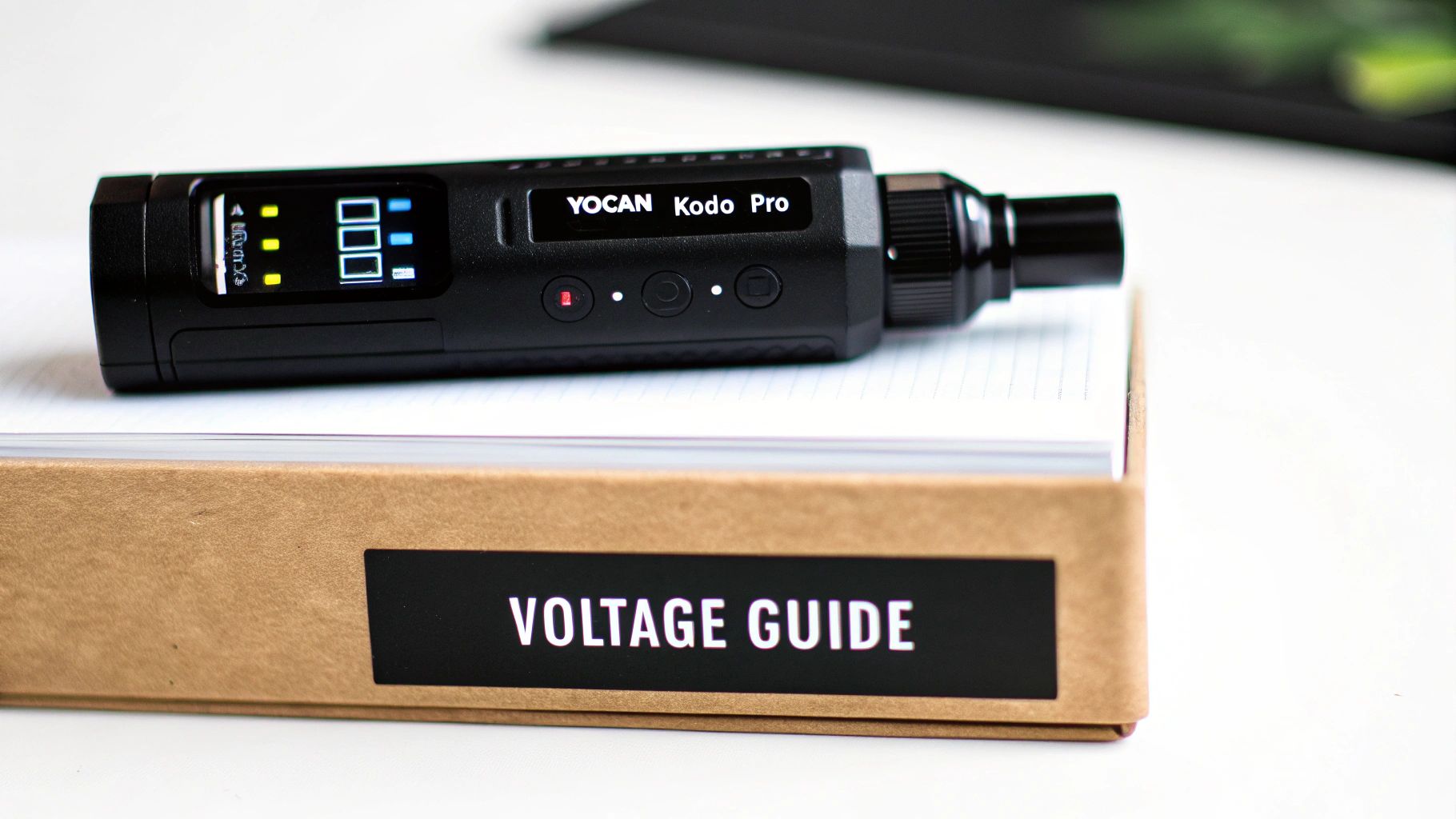
This is where the Yocan Kodo Pro really shines. Unlike those basic stick batteries with just a couple of preset options, this little device puts you in complete control. Dialing in the right voltage is the single most important thing you can do to customize your vape, helping you find that sweet spot between amazing flavour and satisfying vapour.
The ability to fine-tune your session in tiny 0.1V steps, all the way from a super-low 1.8V to a powerful 4.2V, is what makes the Kodo Pro a game-changer. This level of precision means you can perfectly match the heat to whatever kind of oil you have in your cart.
Where to Start With Different Oils
Think of the voltage setting like the heat dial on your stove. You wouldn't blast a delicate sauce on high heat, and the same idea applies here. Firing up a flavourful live resin at too high a voltage will just burn off all the delicate terpenes, leaving you with a harsh, burnt taste. Yuck.
Here are some starting points I've found work well from my own testing:
- Live Resin & Rosin (2.0V - 2.5V): These concentrates are all about flavour, packed with delicate terpenes. Keeping the voltage low and slow in this range protects those flavour notes, giving you a super tasty, smooth hit without scorching anything.
- Distillates & Thicker Oils (2.8V - 3.5V): Your thicker, goopier oils need a bit more of a kick to get going. Bumping the voltage up into this range will produce those bigger, denser clouds that many people are looking for.
- Liquid Diamonds (2.2V - 2.6V): This is a great middle-of-the-road setting. It's warm enough to produce some solid vapour but still gentle enough to respect the complex flavour profile.
These are just suggestions, of course! The best way to learn how to use the Yocan Kodo Pro is to experiment. Start low and creep the voltage up bit by bit until you find the perfect setting for your taste and your specific cartridge.
The goal isn't just to make clouds; it's to get the best possible experience out of your concentrate. A low-and-slow approach will almost always reward you with better flavour and a more enjoyable session.
Matching Voltage to Your Cartridge
Not all cartridges are built the same. They use different internal wicks and heating elements—some ceramic, some quartz—which react to heat differently. Getting to know what's inside your cart can help you dial in your settings even more precisely. If you're the type who likes to get into the nitty-gritty, our guide on wicks and wires is a great deep dive into how it all works.
To help you get started, here’s a quick-reference table for matching your voltage to common cartridge types. It’s a great way to take the guesswork out of your first few tries.
| Cartridge Type | Recommended Voltage Range | Expected Outcome |
|---|---|---|
| Live Resin / Rosin | 2.0V – 2.5V | Maximum flavour, smooth vapour, preserves terpenes. |
| Full Spectrum / CO2 Oil | 2.4V – 2.8V | Balanced flavour and vapour, good for all-around use. |
| Distillate (Thick) | 2.8V – 3.5V | Bigger clouds, more potent effects, less focus on flavour. |
| Ceramic Coil Carts | Start at 2.2V, work up | Excellent flavour, requires a gentle start to avoid burning. |
| Quartz Coil Carts | Start at 2.5V, work up | Faster heat-up, can handle slightly higher temps for bigger hits. |
Think of this table as your road map. You can always adjust based on your own preferences, but it gives you a solid place to begin your journey.
This incredible control is why devices like the Kodo Pro have become a favourite right across Canada. For vapers here in the GTA, having a battery that can perfectly tune the heat for any concentrate is a massive upgrade from the old, fixed-voltage pens. In fact, a 2022 Health Canada survey noted that around 36% of Canadian vapers use cartridge systems like this, all of whom can benefit from the tailored experience a 510 battery provides. For another local perspective, check out this full review from Toronto Vaporizer.
Simple Tricks for a Longer Lasting Kodo Pro
A little bit of TLC goes a long way in keeping your Yocan Kodo Pro hitting just right. Think of it like any other gadget you rely on—a few simple habits will seriously boost its lifespan and save you from the frustration of a device that won't cooperate.
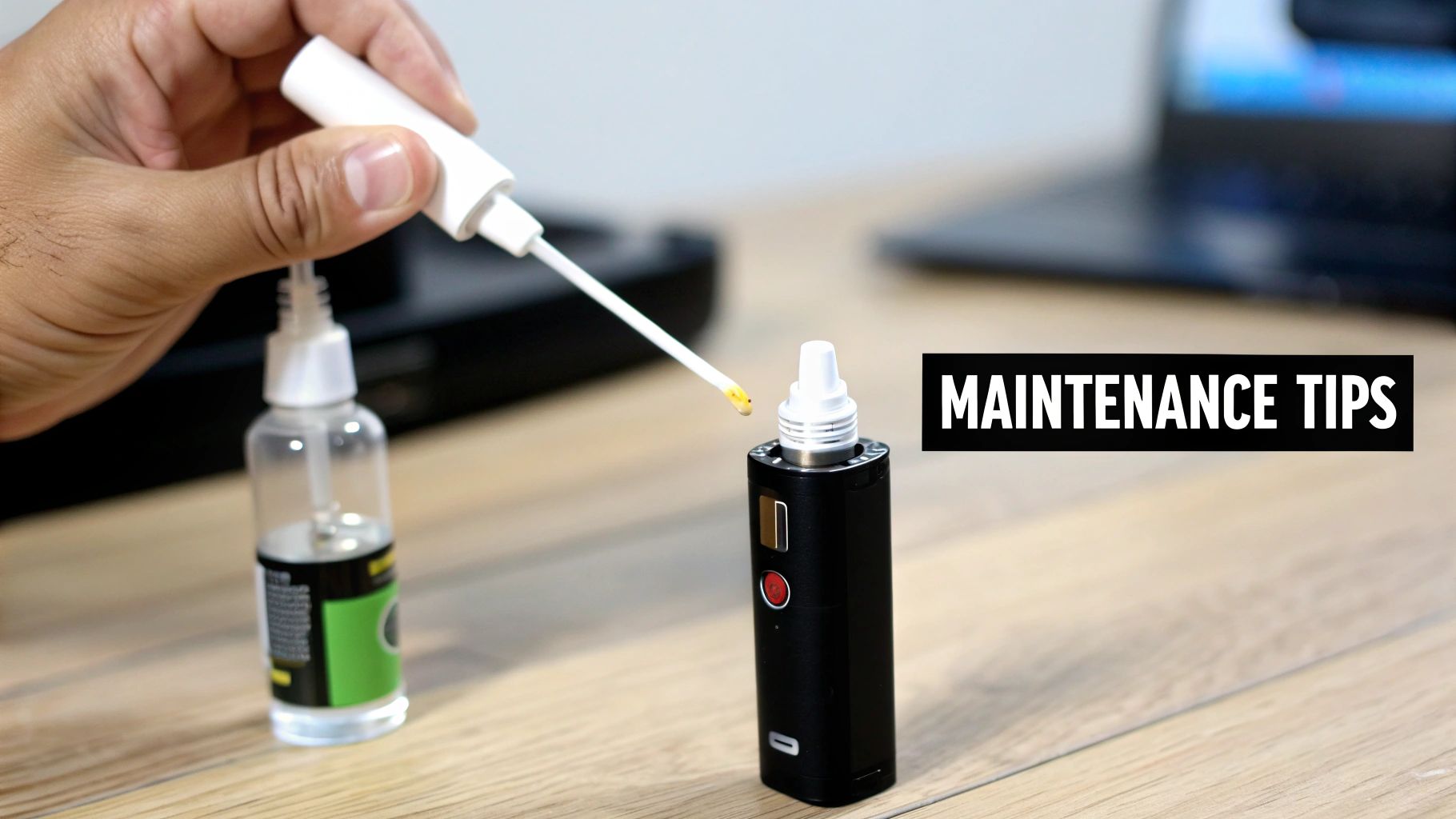
If you do just one thing, make it this: keep the 510-thread connection clean. This is where your cartridge screws in, and over time, a tiny bit of oil can seep out and gunk up the works. It's a super common thing, but it can mess with the electrical connection.
When that gunk builds up, you’ll likely see the dreaded "No Atomizer" error pop up on your screen. Don't panic! It’s usually a quick fix and a core part of learning how to properly use your Yocan Kodo Pro.
Your Go-To Cleaning Method
Cleaning the connection is incredibly simple. All you need is a cotton swab (a Q-tip works perfectly) and a little bit of isopropyl alcohol.
Just dip the swab in the alcohol, give it a little squeeze so it's damp but not dripping wet, and gently wipe the threads and the centre pin on the Kodo Pro. It’s also a good idea to give the bottom of your cartridge a quick wipe while you're at it. Let everything air dry for a minute before screwing your cart back on.
Doing this once a week, or even just whenever you swap out cartridges, will keep that connection strong and prevent most of those annoying errors.
Regular cleaning of the 510-thread connection is the number one thing you can do for your vape. Honestly, it's a 30-second job that prevents about 90% of connection issues before they even happen.
Smart Charging and Storage Habits
Beyond a quick clean, the way you charge and store your device really matters for its long-term health. That USB-C port is super convenient, but try to avoid leaving your Kodo Pro plugged in all night. Constantly overcharging isn't great for any battery.
Just plug it in, wait for the screen to hit 100%, and then unplug it. With a 400mAh battery, it charges up fast, so you won't be waiting around for long.
Where you keep it also makes a difference, especially with the wild temperature swings we get here in Toronto. A few simple rules of thumb:
- Avoid Extreme Temps: We all know how hot a car can get in the summer or how frigid it is in the winter. Leaving your Kodo Pro in those conditions can permanently mess with the battery's ability to hold a charge.
- Keep It Dry: Simple enough—store it somewhere dry to protect the electronics inside.
- Protect from Drops: It's a tough little device, but it's not invincible. A hard fall onto pavement can still cause damage. Tucking it into a small case or a dedicated pocket is a smart move.
Making these small things a habit will keep your Yocan Kodo Pro in fighting shape for a long, long time. You'll get a much more reliable and enjoyable experience every single session.
Troubleshooting Common Issues and Errors
Even the most dependable devices can act up sometimes. If your Yocan Kodo Pro is giving you a hard time, don’t panic—most issues are surprisingly simple to fix. It's all part of the learning curve when figuring out how to use your Yocan Kodo Pro. Let’s walk through the most common hiccups so you can get back to your session without any fuss.
Probably the most common message you'll run into is "No Atomizer." All this means is that the battery isn't 'seeing' your cartridge. It can be annoying, but it's rarely a sign of a major problem. The first place to look is always the connection.
Decoding the "No Atomizer" Message
When that error pops up on your screen, it's usually one of three culprits. There might be a tiny bit of oil residue blocking the connection, the cartridge could be screwed on either too tight or too loose, or in some cases, the cart itself might just be a dud.
Here's a quick checklist to work through:
- Clean the Connection: Find a cotton swab and a little isopropyl alcohol. Gently wipe down the 510-thread connection on the Kodo Pro and the very bottom of your cartridge. This will clear out any sticky residue that might be getting in the way.
- Check the Tightness: Go ahead and unscrew your cartridge completely. Now, screw it back on just until it feels snug. A common mistake is to overtighten it, which can actually prevent the centre pin from making proper contact.
- Test a Different Cartridge: If you've cleaned everything and re-seated the cart but the error persists, try popping on a different one. If the new cart works perfectly, you know the original one was the source of the problem.
Honestly, running through these simple steps solves the "No Atomizer" issue more than 90% of the time.
A friendly reminder: Don’t overtighten your cartridge! It's an easy mistake to make, but it can eventually damage the connection points on both the battery and the cart. All you need is a gentle, snug fit for a perfect electrical connection.
Tackling Other Common Errors
Beyond connection issues, a couple of other minor problems might crop up. Knowing how to handle a battery that won't turn on or a "Shorted" warning will save you a lot of unnecessary stress.
Device Won't Turn On
First things first: is it charged? Plug it in with a good USB-C cable and wall adapter for at least 30 minutes. If it's still not powering on after a decent charge, try clicking the power button a bit more rapidly. Sometimes the timing of the five-click on/off sequence can be a little particular.
"Shorted" Error Message
Seeing this message means there's a short circuit, which is almost always a problem inside the cartridge's coil, not the battery itself. The only real solution here is to swap it out for a different cartridge. If you're someone who likes to use different kinds of vape hardware, our guide to the Yocan Evolve Plus offers a great comparison for devices that handle other types of concentrates.
Battery Won't Hold a Charge
If you feel like you're constantly charging your device, take a look at your charging setup. Make sure you're using a quality USB-C cable and a standard wall adapter—not a high-wattage fast charger meant for a laptop or tablet. It's also a good idea to keep your Kodo Pro out of extreme temperatures, like a hot car on a summer day, as that can really wear down the battery over time.
Where to Grab Your Yocan in the GTA
Alright, now that you’re a pro with the Yocan Kodo Pro, you're probably wondering where to get one without the hassle of waiting for shipping. If you're in the Greater Toronto Area, we've got you covered.
Here at Wii Vape, we're your local source for all things vape. We live and breathe this stuff, right here in Toronto.
We know that when you decide you want a new device, you want it now. That's why we offer free same-day delivery on any order over $100 anywhere in the GTA. No more staring at tracking numbers for days on end.
We're Your Neighbourhood Vape Shop, Online
When you shop with us, you're not just clicking "add to cart" on some faceless website. You're supporting a local spot that's plugged into the Toronto vape scene. Our mission is to get the best gear into your hands as fast as humanly possible.
So, whether you're after the Kodo Pro, stocking up on new arrivals like the Oxva Xlim Pro or Uwell Caliburn GZ2, or grabbing a fresh bottle of that Lemon Drop e-liquid you love, we’re on it. Place your order, and we’ll have it on its way to your door, often in just a few hours.
Think of us as your convenient, reliable connection for all your vaping needs. We're here to make sure you get exactly what you need, right when you need it.
Got Questions About the Kodo Pro? We've Got Answers.
Here at the shop in Toronto, we chat about the Yocan Kodo Pro all day long. It's a super popular little device, so naturally, a few questions pop up over and over. Let's get them answered for you.
A big one we hear is, "Can I use my Kodo Pro while it's charging?" The short answer is no. For the sake of your battery's long-term health and your own safety, it's best to unplug it before you start your session. It’s not built for that kind of pass-through use.
Then there's the puff counter. "Does the puff counter ever reset on its own?" Nope, it'll keep on counting until you tell it to stop. To get it back to zero, just press and hold the power and '-' buttons at the same time. It's actually a pretty handy feature for keeping an eye on your usage.
What’s the Best Voltage to Use?
This is the golden question, the one we get asked more than any other. Honestly, there's no single "best" voltage setting because it all comes down to what's in your cartridge and what you're looking for.
If you’re vaping on some beautiful, flavourful live resin, you’ll want to start low—think 2.0V to 2.5V. For those thicker distillates where you want a bit more cloud production, you can creep up into the 2.8V to 3.5V range. Learning how to use your Yocan Kodo Pro is really all about that sweet spot experimentation.
Pro Tip: Always, and I mean always, start low and slowly work your way up. This simple trick will save you from scorching your oil and getting that awful burnt taste. It keeps the delicate terpenes in your concentrate happy.
Lastly, people always wonder about compatibility. "Will any 510-thread cart fit?" Pretty much! That’s one of the best things about the Kodo Pro. Its open-concept design means it can handle almost any standard 510 cartridge you throw at it, regardless of how wide it is.
Ready to find your perfect session? At Wii Vape, we have the Yocan Kodo Pro and all the gear you could need, with free same-day delivery across the GTA. Shop now at Wii Vape and get your new favourite device today