
Your Complete Guide to the Yocan Uni 3.0 Vaporizer
Posted by Chris on
If you've ever bought a new vape cart only to find it wobbles around or just plain doesn't fit your battery, you know how frustrating that can be. The Yocan Uni 3.0 is the answer to that all-too-common headache. It’s a compact but mighty vaporizer designed from the ground up to play nice with just about any 510-threaded cartridge out there.
This one simple feature makes it an absolute game-changer for both vaping veterans and newcomers alike.
What Makes the Yocan Uni 3.0 a Fan Favourite
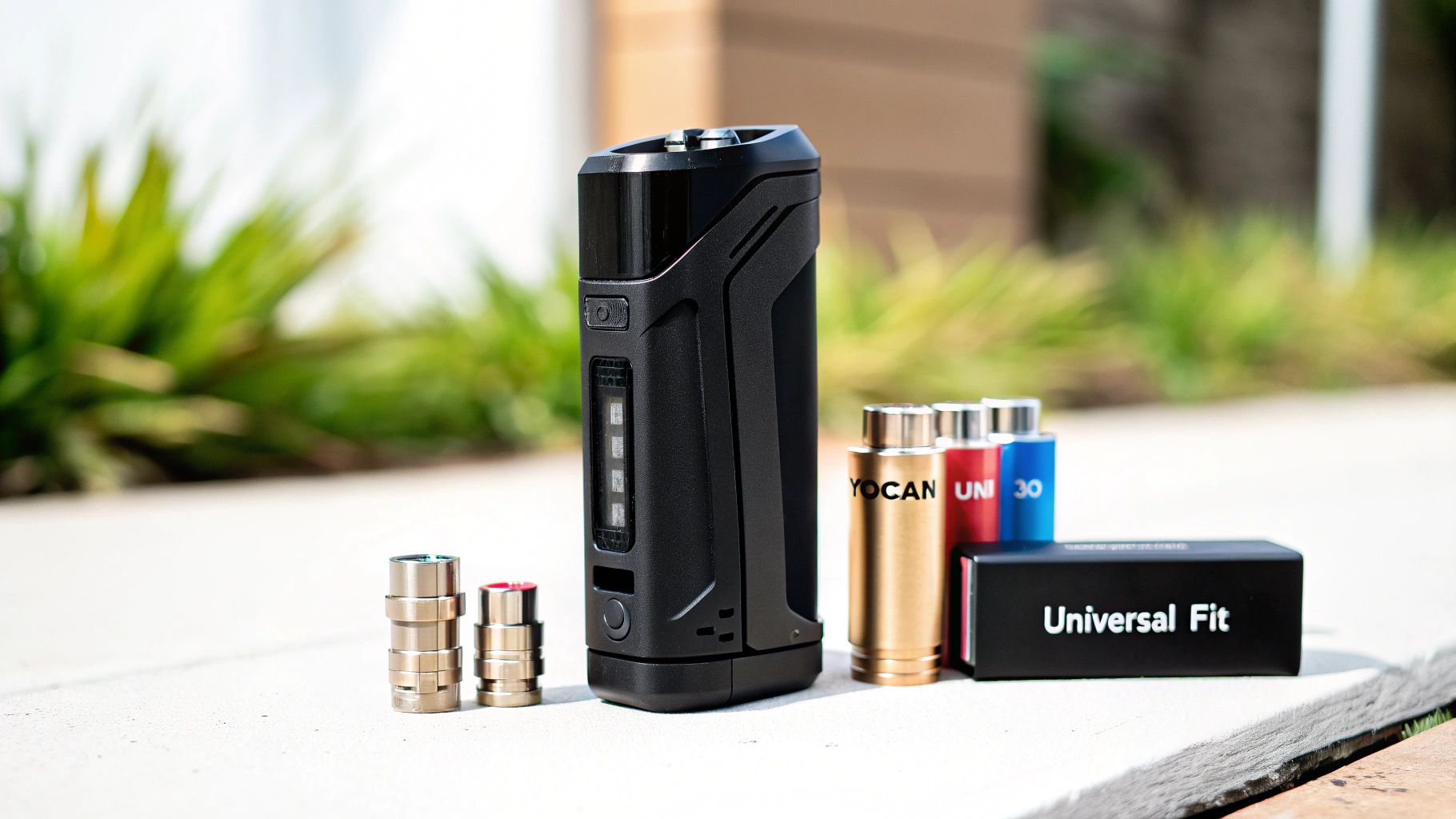
Think of the Yocan Uni 3.0 as the master key for your entire cartridge collection. It was built to solve the biggest problem in the vape world: the total lack of a standard size for cartridges. This little device takes all the guesswork out of the equation. No more crossing your fingers, hoping that new cart you bought will actually work with your battery.
The Uni 3.0 is what we call a "box mod" vaporizer. Unlike the skinny pen-style batteries, a box mod offers way more control, a bigger battery, and a much safer design. It actually wraps around your cartridge, protecting the delicate glass from the inevitable bumps and drops of daily life.
Universal Compatibility by Design
So, what's the secret sauce? The real magic is in its patented, fully adjustable system. The Uni 3.0 has two brilliant little dials that let you create a custom-tailored fit for any cart you throw at it.
- Adjustable Diameter: There's a slick rotating dial right up top. Give it a twist, and it opens or closes an aperture that clamps down securely on cartridges of any width. Say goodbye to that annoying rattle and spotty connection.
- Adjustable Height: A little slider on the side lets you pop the cartridge up or down. This ensures the mouthpiece is always at the perfect height for a comfortable hit, whether you're using a short little half-gram cart or a taller full-gram one.
This one-two punch of adjustability is what truly makes the Uni 3.0 special. You get a snug, secure fit every single time, which means you also get more consistent heating, better flavour, and a far superior experience overall.
The ability to adapt to nearly any 510-thread cartridge is the standout feature of the Yocan Uni 3.0. This versatility has made it an incredibly popular choice, as users no longer need multiple batteries for their different cartridges.
By nailing the solution to the most common compatibility problem, the Yocan Uni 3.0 offers a smooth, reliable session every time. Whether you're just starting and feel overwhelmed by the options or you're a seasoned pro with a drawer full of different carts, this device delivers the consistency and peace of mind that has made it a true fan favourite.
Diving Into the Yocan Uni 3.0’s Specs and Smarts
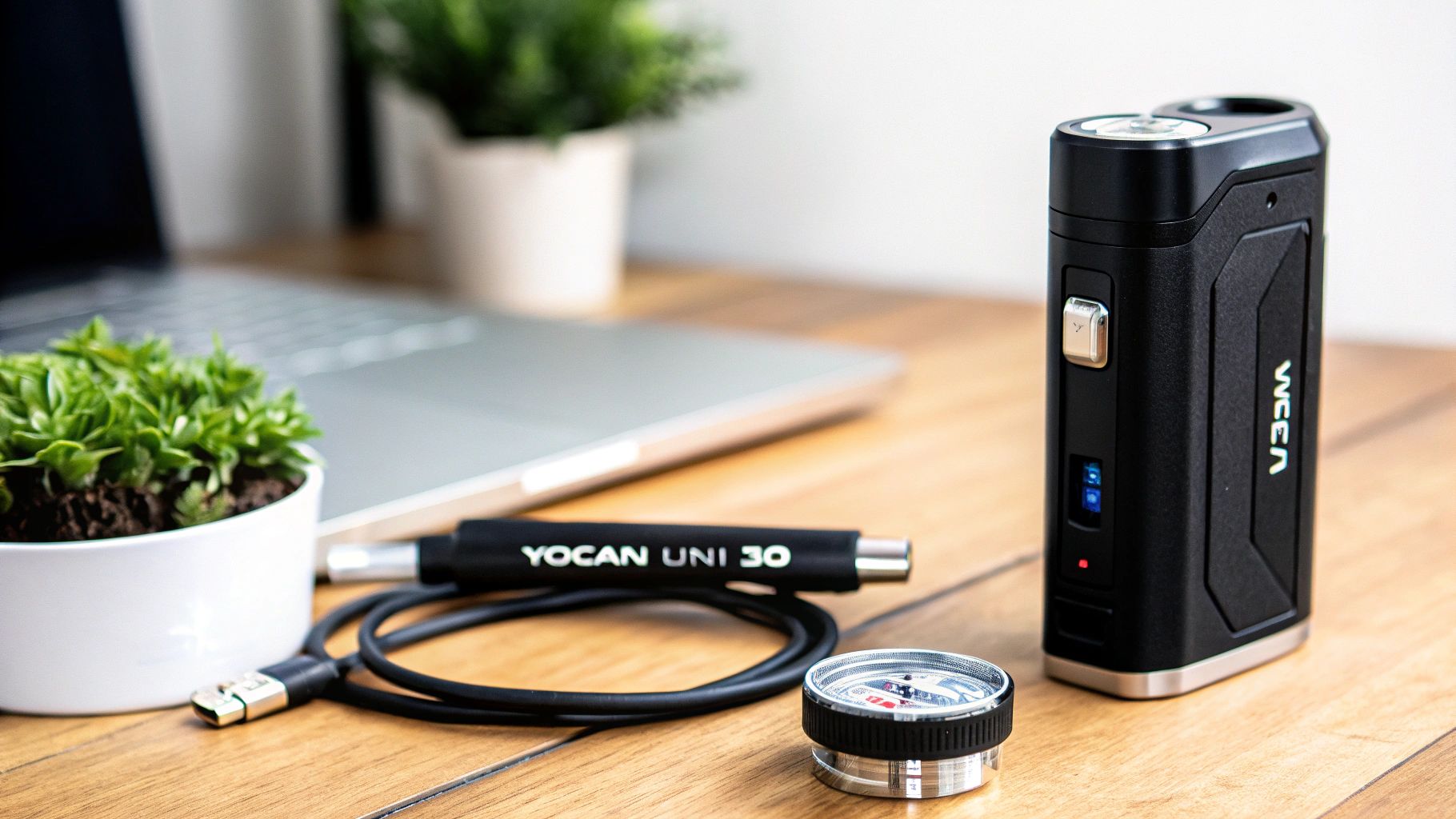
To really get what makes the Yocan Uni 3.0 so special, you have to look under the hood. It's not just about its slick look; the real magic is in the tech that gives you a consistently great session, time and time again. Let's peel back the layers and see what makes this little powerhouse tick.
The heart of the Uni 3.0 is a solid 650mAh battery. For a vape this compact, that’s a pretty generous power source, meaning you'll spend more time vaping and less time tethered to a wall. For most people, that's enough juice to last a full day, maybe even longer.
When you do need to charge up, you'll appreciate the modern USB-C port. It’s a huge step up from the old micro-USB, giving you a faster, more reliable charge. If you want to get the most out of your battery's lifespan, it's always a good idea to use the right 510 thread battery charger.
To give you a quick snapshot of what we're working with, here are the core specs of the Yocan Uni 3.0.
Yocan Uni 3.0 Key Specifications at a Glance
| Feature | Specification |
|---|---|
| Battery Capacity | 650mAh |
| Charging Port | USB Type-C |
| Voltage Range | 2.0V – 4.2V |
| Preheat Function | 10-Second, 1.8V |
| Cartridge Compatibility | Fits any 510-thread cartridge |
| Dimensions | 2.5" x 1.25" x 1" |
| Adjustment System | Height Lever & Diameter Dial |
These details really highlight the blend of power and user-friendly design that Yocan packed into this device.
The Famous Adjustable System
Now for the real star of the show: Yocan’s patented adjustable system. This is the feature that single-handedly solves the biggest headache for vape users—finding a battery that actually fits your favourite cartridge.
- Adjustable Height Lever: Got a short 0.5g cart? Or maybe a taller 1g one? No problem. A simple slider lets you move the cartridge up or down, so the mouthpiece is always right where you want it.
- Adjustable Diameter Dial: This is pure genius. Just twist the dial at the top, and an aperture closes in, hugging your cartridge securely. It gets rid of that annoying rattle and ensures a solid connection, which is key for good performance.
This brilliant two-part adjustment system is what put the Yocan Uni series on the map. It’s been a massive hit since it first launched back in 2018. In fact, the earlier UNI Pro model alone sold over one million units worldwide, proving just how much people wanted this kind of do-it-all device.
Fine-Tuning Your Perfect Hit
The Uni 3.0 isn't just about fitting any cart; it's about getting the perfect hit from any cart. That’s where the variable voltage settings come in.
With a voltage range of 2.0V to 4.2V, you're in the driver's seat. You can keep it low and slow to really savour the flavour and terpenes, or you can crank it up for those big, satisfying clouds.
And let’s not forget the 10-second preheat function. If you’ve ever struggled with thick oils, especially during a chilly Canadian winter, you’ll know this is a lifesaver. Two quick clicks send a gentle current to warm up the oil, making it the perfect consistency for a smooth draw. It’s a small thing that prevents clogs and guarantees a great first puff, every single time.
Getting Started With Your Yocan Uni 3.0
So, you’ve just unboxed your shiny new Yocan Uni 3.0 and you're eager to get going. Let's walk through it. Getting this device up and running is a breeze, even if you’re brand new to the world of vapes. We'll get you from the box to that first perfect puff in no time at all.
First things first, let's get it charged up. Before you do anything else, it’s always a good idea to give your Uni 3.0 a full charge right out of the gate. Just plug the included USB-C cable into the port on the bottom and connect it to a power source. Starting with a full battery not only gives you the best performance from the jump but also helps keep the battery healthy for the long haul.
Putting It All Together
Once your device is fully juiced up, it’s time to introduce it to your favourite cartridge. This is where that clever little magnetic adapter comes into play.
- Screw on the Adapter: Grab the small, circular magnetic 510-thread adapter that came in the box. Gently screw it onto the bottom of your vape cartridge. You want it snug, but there’s no need to crank it down super tight.
- Slide in the Cartridge: Now, just slide the cartridge (with the adapter attached) into the opening on top of the Uni 3.0. You’ll hear and feel a satisfying little click as the magnet pulls it securely into place.
- Get the Perfect Fit: This is the fun part. Use the two adjustment features to lock your cart in. Twist the diameter dial up top to close the grips around the cartridge, getting rid of any wobble. Then, use the height slider on the side to bring the mouthpiece up to the perfect level for you.
Nailing the fit isn't just about making it look neat—it actually ensures a solid connection between the battery and your cartridge. A stable connection is the secret sauce for consistent heating and reliable performance every single time.
Mastering the Controls
With your cartridge locked and loaded, you’re just a few clicks away from your first session. The Yocan Uni 3.0 keeps things simple with a single-button control system that’s super easy to get the hang of.
- Power On/Off: Click the power button five times quickly. The screen will light up, letting you know it's on. Do the same five clicks to turn it off when you're done.
- Change Voltage: To switch between heat settings, just click the power button three times. This lets you experiment to find that sweet spot between amazing flavour and thick vapour.
- Activate Preheat Mode: Got some thicker oils that need a little encouragement? A quick two clicks will start the 10-second preheat function. This gentle warming helps ensure a smooth, clog-free draw right from the start.
And that’s really all there is to it. In just a few simple steps, you're all set to explore everything your new Yocan Uni 3.0 can do.
Getting the Perfect Fit: A Guide to Cartridge Compatibility
Let's be honest, the real magic of the Yocan Uni 3.0 is how it plays nicely with just about any cartridge you throw at it. We’ve all felt that sinking feeling—you get a new cart you’re excited to try, only to discover it doesn’t fit your battery. This device was built to make that frustration a thing of the past.
The secret sauce here is the industry-standard 510-thread connection. Think of it as the USB port of the vape world; it’s the universal connector that lets different batteries and cartridges talk to each other. But here's the catch: while the thread is standard, the actual width and height of cartridges can be all over the place. That’s the exact problem the Uni 3.0 so cleverly solves.
Getting started is as easy as one, two, three.
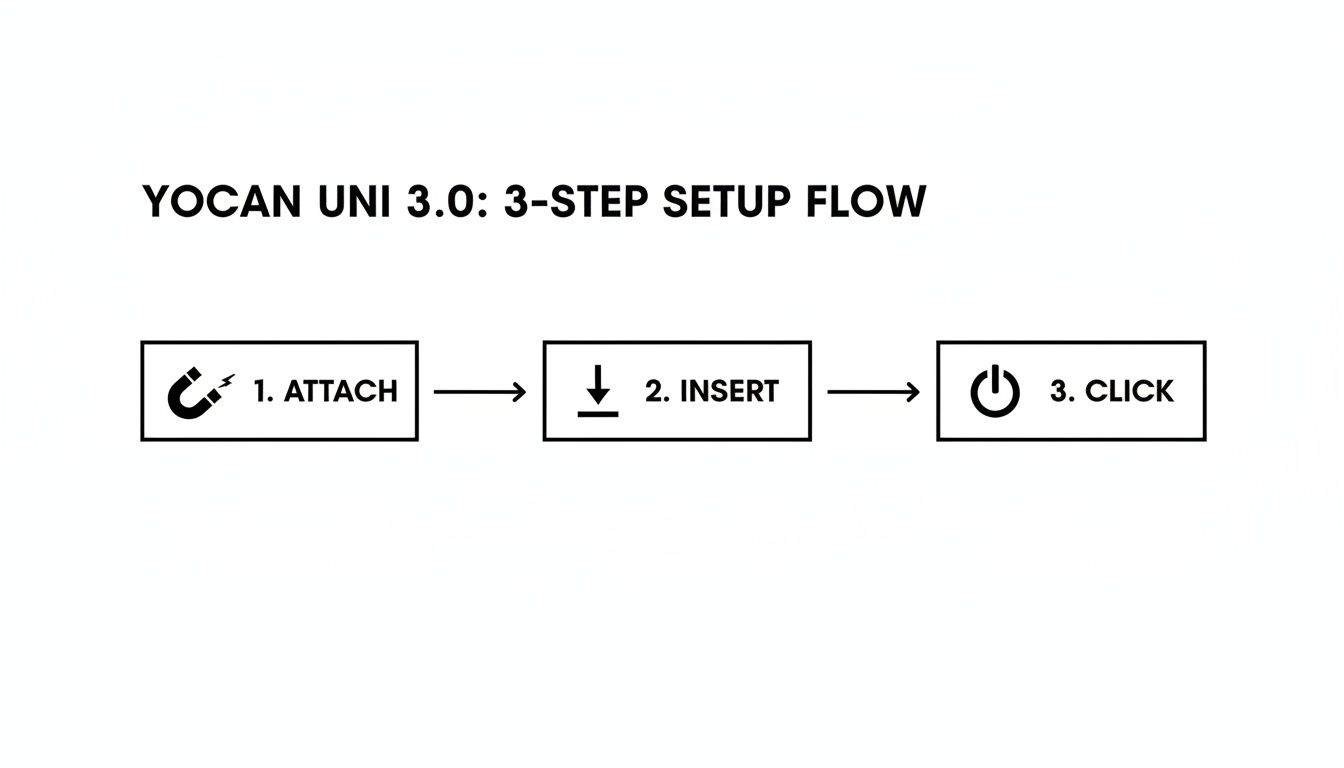
This little visual sums it up perfectly. You just attach the adapter to your cart, slide it into the device, and you’re ready to go.
Dialing in the Perfect Connection
The Uni 3.0’s ability to fit virtually any cart comes down to two simple, but brilliant, adjustable features. These aren't just for show; they're thoughtfully designed to give you a rock-solid connection, which makes a huge difference in performance.
First up is the diameter dial. Give that ring at the top of the device a twist, and you'll see the opening widen or shrink. This allows you to clamp down on your cartridge, getting rid of that annoying wobble you find with other batteries. It also ensures a solid electrical contact, which is key for consistent hits.
Then you have the height slider. This little lever on the side lets you pop the cartridge up or down. So, whether you're using a tiny half-gram cart or a taller one-gram model, you can position the mouthpiece exactly where you want it for a comfortable draw every time.
These two adjustments work together to do more than just hold the cart in place. They create a custom-fit housing that leads to better heating, smoother airflow, and ultimately, much more flavourful vapour.
The whole system works thanks to a tiny, but essential, piece: the magnetic adapter. You just screw this little ring onto the bottom of your cart, and it lets it snap right into the Uni 3.0. I always recommend keeping a spare one around just in case. If you ever lose it, you can easily grab a replacement Yocan Uni magnetic adapter.
Once you master these simple tweaks, you'll be able to confidently use pretty much any 510-threaded cartridge out there. The Yocan Uni 3.0 truly sets you free to explore all the different brands and concentrates on the market without ever worrying if they'll fit.
Simple Tips for Cleaning and Maintenance
Keeping your Yocan Uni 3.0 in great shape is a breeze, and honestly, a little bit of care makes a massive difference. When you keep it clean, you’re not just making it last longer; you’re guaranteeing every puff tastes as good as the first. Think of it as a quick pit stop to keep your vaping experience running smoothly.
The most critical spot to pay attention to is where all the action is: the connection points. Little bits of residue can gunk up the works on the magnetic 510-thread adapter and inside the device itself. That gunk can mess with the connection, giving you weak hits or making the device not even recognize your cart.
Your Quick Cleaning Routine
A simple clean once a week—or whenever you’re swapping out cartridges—is really all it takes. You just need a couple of things you probably already have: a cotton swab and a little isopropyl alcohol.
-
Get Your Swab Ready: Dip a cotton swab in some isopropyl alcohol. You don't need it soaking wet, just damp enough to cut through any grime.
-
Clean the Connectors: Gently wipe down the metal contact point on the magnetic 510 adapter. Then, use the same swab to carefully clean the contact pin inside the Uni 3.0’s chamber where the adapter sits.
-
Wipe Down the Outside: A quick wipe with a soft cloth will keep the body of your device looking sharp. Just make sure everything is completely dry before you put it back together.
This whole process takes less than a minute but it’s a game-changer for preventing pesky connection problems and keeping your flavour pure.
Smart Battery Care for a Longer Life
Taking good care of the battery is just as important for getting the most out of your Yocan Uni 3.0. The goal is to avoid putting too much stress on the 650mAh battery, so it stays healthy for the long haul.
A healthy battery is the heart of your device. Habits like overcharging or using your vape in super hot or cold weather can really shorten its lifespan and hurt its performance.
One of the best things you can do is avoid leaving it plugged in all night. Even though it has a modern USB-C port, unplugging it once the light turns green is a great habit. Combine that with a regular cleaning schedule, and your Uni 3.0 will be your trusty sidekick for a long, long time.
Getting Your Hands on the Yocan Uni 3.0 in the GTA
So, you're convinced the Yocan Uni 3.0 is the right fit for you? If you’re in the Greater Toronto Area, you won't have to wait long to start using it. At Wii Vape, we make it our mission to get the latest and greatest gear into your hands as quickly as possible, including the latest additions to our Yocan lineup.
We're proud to offer same-day delivery right across the GTA for any orders over $100 before tax. That means you can order your new Yocan Uni 3.0 this morning and have it at your door by this evening. It’s all about getting you what you need, without the frustrating shipping delays.
Why It Pays to Shop With a Local Vape Expert
You could grab a vape from any big online store, but there’s a real difference when you choose a dedicated shop like Wii Vape. You're not just another order number to us; you're getting the assurance of a 100% authentic device and support from people who actually know their stuff. No fakes, no runaround—just genuine products and real answers.
We're always here to help you find the right accessories or troubleshoot any issues. It's that personal touch that makes all the difference. If you're exploring other options too, you might find our guide on finding a dab pen near you helpful for more local insights.
When you choose a local, specialized vape shop, you're gaining a partner in your vaping journey. From expert advice on compatible cartridges to dedicated support, the value extends far beyond the initial purchase.
Let's be honest, the rules around selling vapes can get pretty confusing, and they change depending on where you are. Some places have strict age verification or limit online sales entirely. Here at Wii Vape, we take care of all the local compliance stuff, so you can be sure your purchase is smooth, secure, and completely by the book.
Got Questions About the Yocan Uni 3.0? We’ve Got Answers.
Even with a device as user-friendly as the Yocan Uni 3.0, it's natural for a few questions to come up. Don't worry, you're not the first to wonder about the little details! We've gathered some of the most common queries right here to give you quick, clear answers and help you get the most out of your new vape.
One of the first things people ask about is battery life. The built-in 650mAh battery is a solid workhorse, easily lasting a full day for the average vaper. Of course, if you're a heavy user or frequently crank it up to the higher voltage settings, you'll find yourself reaching for the charger a bit sooner.
Those blinking lights can also be a head-scratcher. While different patterns mean different things, a persistent blinking light often points to a connection problem. The first step is simple: make sure it's actually charged. If that's not the issue, grab a cotton swab and gently clean the magnetic adapter and the contact point inside the device. A tiny bit of residue is often the culprit.
Fine-Tuning Your Vaping Experience
How do I know which voltage setting is right for me?
This is the fun part, because there's no single "best" setting—it all comes down to what you're looking for in a session.
- Low Voltage (2.0V - 3.0V): This is the flavour-saver range. If you want to really taste the delicate terpenes and nuances of your oil, start here. The hits are smoother and tastier.
- High Voltage (3.0V - 4.2V): Chasing bigger, denser clouds? This is your zone. More power means a stronger, more immediate effect.
A good rule of thumb is to start low and slowly bump it up. You'll quickly find that sweet spot that's perfect for you.
The real magic of the Yocan Uni 3.0 is how it lets you tailor every session. Playing around with the voltage is the best way to discover what works for your specific cartridge and the kind of experience you're after.
Is it okay to leave my Yocan Uni 3.0 charging all night?
While it has modern USB-C charging with built-in safety, it's always a good habit to unplug any vape once it's fully charged. Think of it like a phone—unplugging it when it's full helps preserve the long-term health and lifespan of the battery.
Ready to see what all the fuss is about and experience true cartridge freedom? At Wii Vape, we carry the Yocan Uni 3.0 and even offer same-day delivery across the GTA. Get your Yocan Uni 3.0 today!